Eish, knockouts. If you’ve ever spent a morning in Photoshop trying to get smoke, glows or a soft shadow to print properly on a black shirt, you know the pain. That’s why we built the free DTF knockout lab, a free tool that does the hard part for you, right in your browser. We do colour knockouts almost every day, and even in our own studio, learning to do one by hand takes hours.
So here’s the shortcut, and it costs you nothing.
Meet the free DTF knockout lab
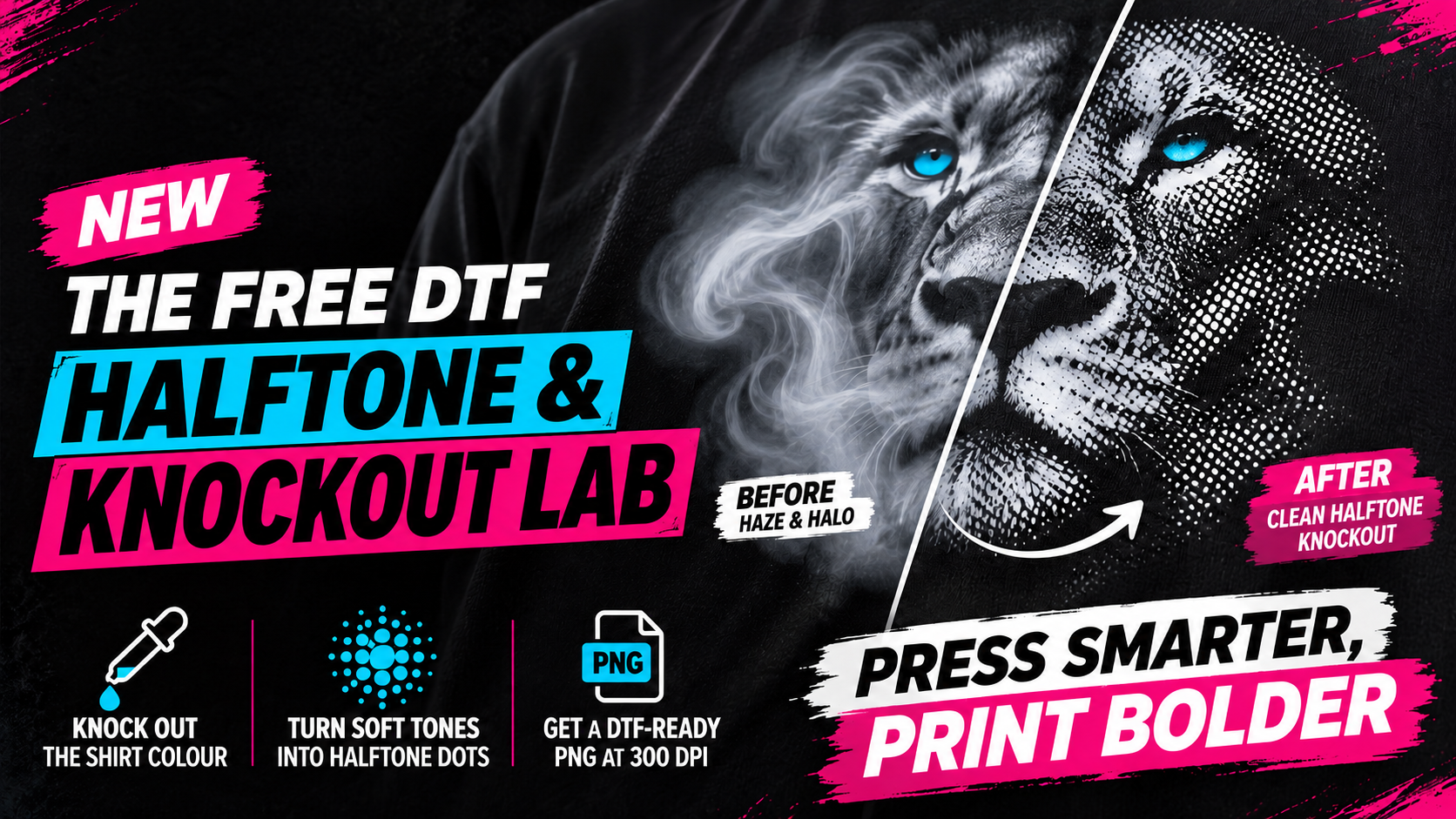
The DTF Halftone & Knockout Lab does in your browser what we do by hand in GIMP every day:
- Knocks out the shirt colour. Pick it with the eyedropper, black or any other colour, and it drops out so the shirt shows through.
- Turns soft tones into halftone dots. Smoke, glows and gradients become crisp dots. Choose the pattern, size and angle.
- Gives you a DTF-ready PNG. Your original colours, with the knockout baked into the transparency, at 300 DPI.
The free DTF knockout lab needs no Photoshop subscription and no sign-up. And your artwork never leaves your computer: the Lab runs entirely in your browser and nothing is uploaded.
Why your soft edges need this
Here’s the bit most people never get told. DTF puts a layer of white ink under your colours so they pop on dark fabric, and that white layer is built from your artwork. Anywhere your file is partly see-through, like smoke fading into a black background, white still goes down underneath it. On a black shirt that shows up as a grey haze or a white halo where the shirt should be.
A knockout plus a halftone fixes it at the source. Every dot is either fully printed or not printed at all. No half measures, no haze, and the shirt itself becomes part of the design. Bonus: less ink on the shirt means a softer print that breathes.
How the free DTF knockout lab works
Using the free DTF knockout lab takes about two minutes once you have your artwork open. Here is the whole job in seven short steps:
- Open your artwork, ideally at the size you’ll print it, at 300 DPI.
- Pick your knockout colour. That’s the shirt colour, and the eyedropper grabs it straight from your file.
- Check the mask. White prints, black drops out and lets the shirt show through.
- Tighten the levels until the background is pure black and your highlights are pure white.
- Set your halftone pattern, dot size and angle.
- Check the result on the garment colour, which is roughly how it will look pressed.
- Download the DTF-ready PNG and upload it with your order.
Tips before you hit download
Do the knockout at your final print size. Resize a halftone afterwards and the dots smear into grey, half see-through pixels, which is the exact problem you were fixing.
Knocked out your file for black? It only looks right on black. Printing on navy, bottle green or maroon? Knock out that colour instead, because the free DTF knockout lab works the same way on any shirt.
Don’t go too fine with the dots. The tiniest ones struggle to hold adhesive powder and are the first to lift in the wash. Halftone itself is old tech (here’s the history of halftone), and the same rule has always applied: dots must be big enough to survive the process.
Who it’s for
- Print shops and resellers who keep getting artwork with dark backgrounds and soft effects.
- Creators and small brands with moody, smoky, glowing designs that look lekker on screen and muddy on a shirt.
- Weekend hustlers who just want the file to print right the first time.
Flat artwork with fuzzy edges and no soft tones? Our free DTF Edge Cleaner is the quicker fix.
Rather we do it?
Not sure the free DTF knockout lab is the right fix for your artwork? Send it to us for a free check: WhatsApp 065 931 1831 or email info@dtfprints.co.za. If it needs fixing, artwork conversion is R150 once-off per image, and you never pay it again when you reorder that design.